
Get Data Audit
The step allows you to retrieve the data from the audit trail. Audit trail is the system that logs information about all actions of the system’s users. The retrieved data replaces the current content in the schema being mapped into the selected columns.
To configure this manipulate step, follow the instructions below:
- In the Admin Navigation tree, select Interfaces > InterfaceName > Tasks > TaskName > Steps.
- On the toolbar, click New > New Manipulate Step.
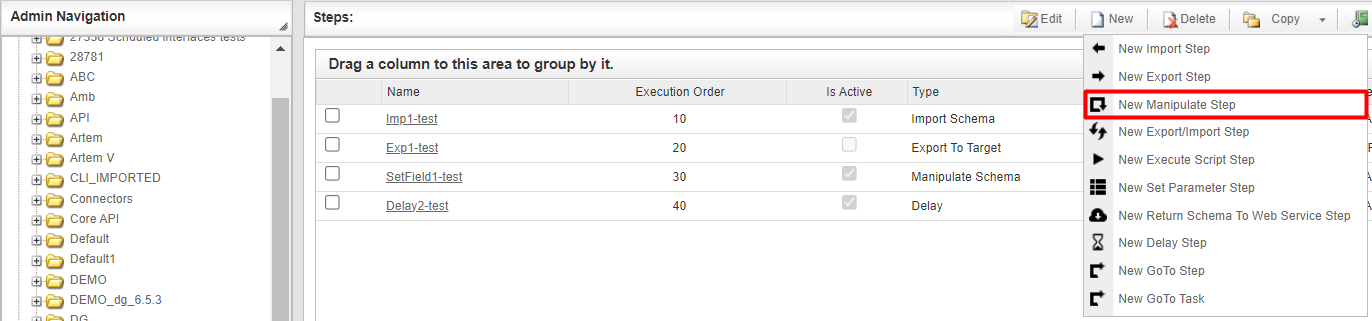
Creating a New Manipulate Step
- Navigate to the Reports section and select Get audit trail.
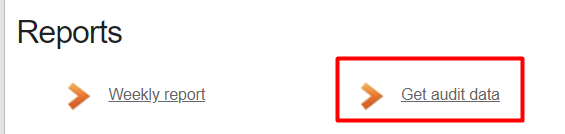
Reports Section
- In the work area, fill in the following fields:
| Fields | Description |
|---|---|
| Name | Provide a distinctive name for this step. |
| Is Active | Select the check box to engage the scheduler for this step. |
| Order of Execution | Enter the order in which this step should be executed. |
| Audit notes | If needed, add notes to the audit data reports to address any peculiarities or describe the retrieved data. |
| Sort Expression | Optional. Use this field to sort data from the source database prior to inserting it into the Schema table. |
| Stop interface execution if query failed | Optional. If enabled, the system will stop any data manipulation if the query returns an error. |
| Save Schema (enabled per interface) | If selected, the schema is created for this step. |
| Date From | Select the date, from which the data will be retrieved. |
| Date To | Select the date, to which the data will be retrieved. |
| Parameter | If needed, replace the Date From and Date To with a parameter. |
- Press the Save button.
Please, note that configured maximum number of rows to import into the schema is 100,000!